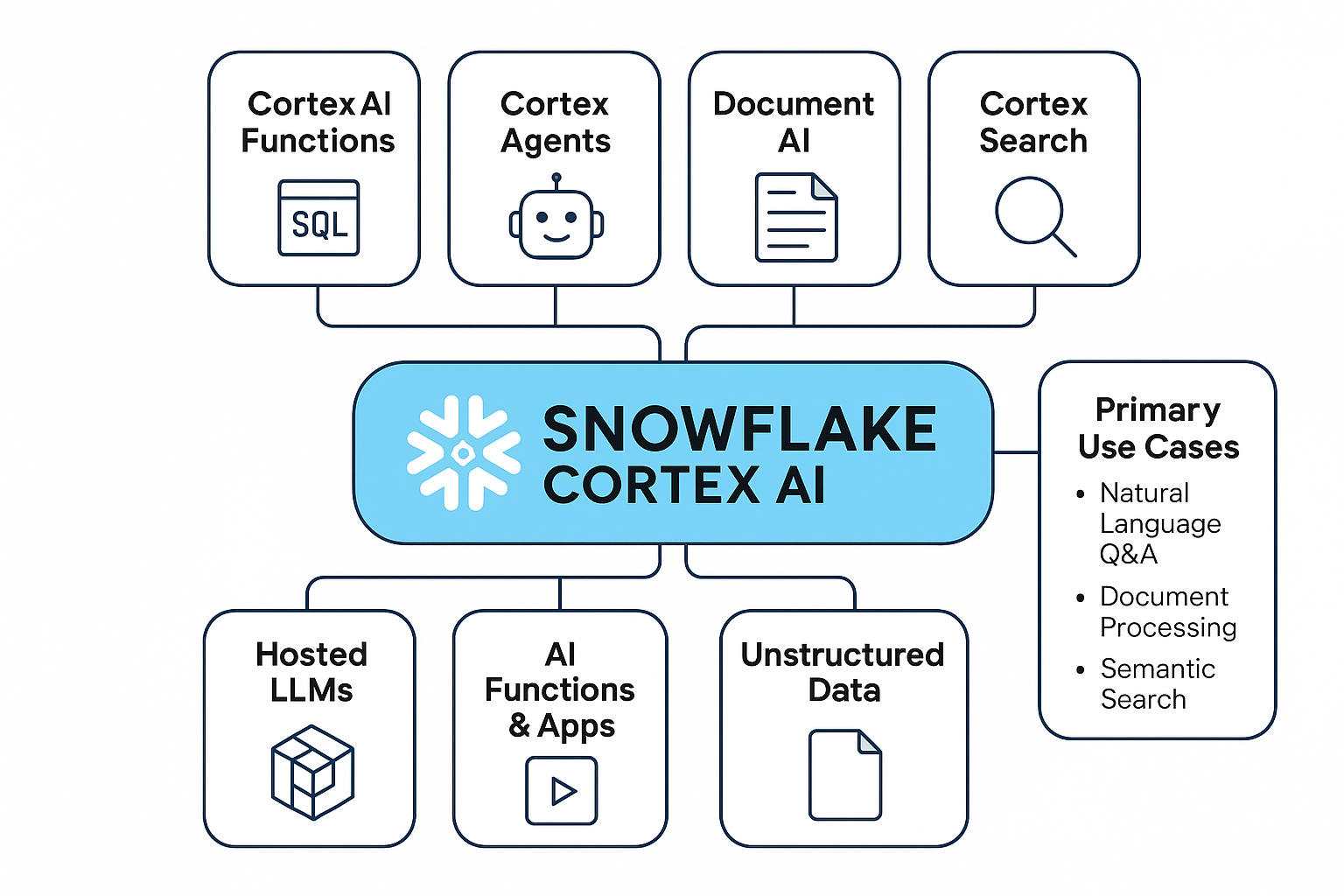
Cortex is Snowflake's in-account generative-AI surface: a catalog of foundation-model functions (COMPLETE, EMBED_TEXT, SUMMARIZE, etc.) plus three higher-level managed services that compose them into production assistants.
Text-to-SQL grounded in a YAML semantic model with a verified-query store. Lets business users ask natural-language questions and get accurate SQL answers.
Managed hybrid (vector + lexical) search service over a Snowflake table. The retrieval layer behind RAG pipelines — no separate vector DB required.
Orchestration runtime that composes Cortex Search, Cortex Analyst, and custom HTTP tools into multi-step assistants with citations and tool-use loops.
End-to-end pipeline for adapting foundation models inside Snowflake — data prep, training jobs, model registry, and serving without leaving the account.
Catalog of SQL-callable LLM primitives: COMPLETE, EMBED_TEXT, SUMMARIZE, CLASSIFY_TEXT, EXTRACT_ANSWER, TRANSLATE, and more.
Extraction, cleaning, transformation, and feature engineering inside Snowflake — the foundation for any Cortex training or inference workload.
Snowflake ML for tabular models, Cortex fine-tuning for LLMs. Prompt templates, training data shaping, and the Cortex.FineTune workflow.
Cortex endpoints, resource allocation, and access controls. How a fine-tuned model becomes a callable inference service inside Snowflake.
Cortex.Invoke for prediction, plus logging, latency tracking, data-drift detection, and feedback loops for production observability.
Snowflake Cortex provides a platform for building and deploying generative AI models directly within Snowflake. This document outlines a typical development pipeline, including data preparation, model training, deployment, and monitoring. The pipeline leverages Snowflake's functionalities and Cortex's capabilities for seamless integration.
The foundation of any AI model is high-quality data. This phase involves data extraction, cleaning, transformation, and feature engineering within Snowflake.
-- Example: Extract and clean data from a Snowflake table
CREATE OR REPLACE TEMPORARY TABLE cleaned_data AS
SELECT
    lower(text_column) AS cleaned_text, -- Convert to lowercase
    CASE
        WHEN length(text_column) > 1000 THEN null -- Remove long texts
        ELSE text_column
    END AS trimmed_text
FROM
    raw_data_table
WHERE
    text_column IS NOT NULL
    AND length(text_column) > 0;
Model training can be performed either using Snowflake ML (for more general machine learning tasks) or, more commonly for generative AI, utilizing Cortex Functions.
This example uses a simple prompt template. Real-world fine-tuning will require significantly more complex code and datasets.
-- Create a prompt template
CREATE OR REPLACE FUNCTION prompt_template(input_text VARCHAR)
RETURNS VARCHAR
LANGUAGE PYTHON
AS
$$
    prompt = f"""
    You are a helpful assistant.  Respond to the user's question:

    User: {input_text}
    Assistant:
    """
    return prompt;
$$;

-- Use the prompt template
SELECT prompt_template('What is the capital of France?');

-- To fine-tune a model, this prompt template would be incorporated into the training data and used with the
-- Cortex.FineTune function.  The actual fine-tuning command is more complex and depends on the specific LLM.

-- Example:
   Cortex.FineTune(
      base_model_name = 'mistralai/Mistral-7B-Instruct-v0.1',
      training_data = (
                        SELECT prompt_template(input_text) AS prompt,
                        input_text AS completion FROM training_data_table
                       ),
--   ...
-- )
Once the model is trained, it needs to be deployed to make it accessible for inference requests.
-- Assuming you have a fine-tuned model 'my_fine_tuned_model'
-- (This is simplified, actual deployment steps are more involved)

-- This is a conceptual illustration.  Actual deployment involves:
-- 1. Creating a Cortex Model resource.
-- 2. Uploading the trained model files to Snowflake.
-- 3. Creating a Cortex Endpoint linked to the model.

-- Example (Requires a fine-tuned model 'my_fine_tuned_model'):
   Cortex.CreateEndpoint(
         model_name = 'my_fine_tuned_model',
         resource_allocation = 'SMALL'
   )
This stage involves sending requests to the deployed endpoint and receiving predictions.
-- Example: Send a prediction request to the Cortex endpoint (Illustrative)

-- Assuming 'my_endpoint' is the name of your deployed Cortex Endpoint

SELECT
    Cortex.Invoke(
        endpoint_name = 'my_endpoint',
        payload = '{"input": "Translate to French: Hello, world!"}'
    );

-- Response from Cortex.Invoke will be a JSON string containing the model's response.
-- Further parsing may be required to extract the specific data.
Continuous monitoring is crucial for ensuring model performance and identifying potential issues.
-- This is a simplified example - actual monitoring involves more sophisticated techniques
-- to track performance, cost, and data drift.

-- Create a table to log Cortex.Invoke requests and responses
CREATE OR REPLACE TABLE cortex_inference_logs (
    request_time TIMESTAMP,
    endpoint_name VARCHAR,
    payload VARCHAR,
    response VARCHAR
);

-- Log the inference requests and responses
INSERT INTO cortex_inference_logs (request_time, endpoint_name, payload, response)
SELECT
    CURRENT_TIMESTAMP(),
    'my_endpoint',
    Cortex.Invoke(
        endpoint_name = 'my_endpoint',
        payload = '{"input": "What is the capital of Germany?"}'
    ),
    Cortex.Invoke(
        endpoint_name = 'my_endpoint',
        payload = '{"input": "What is the capital of Germany?"}'
    );

-- Analyze the logs to identify trends and potential issues.
-- Example:  Average inference time
SELECT AVG(length(response)) FROM cortex_inference_logs;
This pipeline provides a foundational understanding of developing AI models within Snowflake Cortex. Refer to the official Snowflake documentation for comprehensive details and advanced features.