This guide takes a fresh Ubuntu machine with an NVIDIA GPU to a working TensorFlow GPU environment without Docker and without the apt CUDA packages: install the driver, Miniconda, the CUDA 12.1 toolkit from the runfile, cuDNN 8.9.7, then TensorFlow in a Python 3.11 environment, and verify each layer before moving on.
Each layer depends on the one beneath it, and most installation failures come from a version mismatch between two adjacent layers. The kernel driver is the only component installed system-wide through apt; nvidia-smi reports its version and the newest CUDA version it can run. The CUDA toolkit supplies the runtime and compiler; any toolkit up to that maximum works with the driver. cuDNN provides tuned convolution, normalisation and attention kernels and must match the CUDA major version. The framework is compiled against specific CUDA and cuDNN versions and will fall back to CPU, usually with only a warning, if it cannot load them.
This guide pins driver 535, CUDA 12.1, cuDNN 8.9.7 and TensorFlow 2.16 because that combination was tested together. Before changing any one of them, check TensorFlow's tested build configurations table and NVIDIA's cuDNN support matrix. Two simpler alternatives exist: pip install "tensorflow[and-cuda]" pulls NVIDIA's CUDA and cuDNN libraries as pip wheels into the environment, and PyTorch wheels bundle their own CUDA runtime, so in both cases only the driver must be installed on the host. The manual toolkit install below is still useful when you need nvcc for compiling custom kernels or other libraries. A hardware-specific walkthrough is on the GeForce RTX 3060 installation page.
sudo apt update
sudo apt upgrade -y
sudo apt install -y build-essential wget curl git
sudo reboot
ubuntu-drivers devices
sudo apt install -y nvidia-driver-535
sudo reboot
nvidia-smi
wget https://repo.anaconda.com/miniconda/Miniconda3-latest-Linux-x86_64.sh
bash Miniconda3-latest-Linux-x86_64.sh
exec bash
conda create -n Py311 python=3.11 -y
conda activate Py311
python -V
wget https://developer.download.nvidia.com/compute/cuda/12.1.1/local_installers/cuda_12.1.1_530.30.02_linux.run
sudo sh cuda_12.1.1_530.30.02_linux.run
sudo tee /etc/profile.d/cuda-12.1.sh << 'EOF'
export CUDA_HOME=/usr/local/cuda-12.1
export PATH=/usr/local/cuda-12.1/bin:$PATH
export LD_LIBRARY_PATH=/usr/local/cuda-12.1/lib64:$LD_LIBRARY_PATH
EOF

source /etc/profile.d/cuda-12.1.sh
nvcc --version
wget https://developer.download.nvidia.com/compute/cudnn/redist/cudnn/linux-x86_64/cudnn-linux-x86_64-8.9.7.29_cuda12-archive.tar.xz
tar -xf cudnn-linux-x86_64-8.9.7.29_cuda12-archive.tar.xz
sudo cp -r cudnn-linux-x86_64-8.9.7.29_cuda12-archive/include/* /usr/local/cuda-12.1/include/
sudo cp -r cudnn-linux-x86_64-8.9.7.29_cuda12-archive/lib/* /usr/local/cuda-12.1/lib64/
sudo ldconfig
ls /usr/local/cuda-12.1/lib64/libcudnn*
pip install --upgrade pip
pip install tensorflow==2.16.2
import tensorflow as tf

gpus = tf.config.list_physical_devices("GPU")
for gpu in gpus:
    tf.config.experimental.set_memory_growth(gpu, True)

print("TensorFlow:", tf.__version__)
print("Built with CUDA:", tf.test.is_built_with_cuda())
print("GPUs:", tf.config.list_physical_devices("GPU"))
python gpu_test.py
import tensorflow as tf
import time

gpus = tf.config.list_physical_devices("GPU")
for gpu in gpus:
    tf.config.experimental.set_memory_growth(gpu, True)

x = tf.random.normal((1_000_000, 10))
y = tf.reduce_sum(x, axis=1, keepdims=True)

model = tf.keras.Sequential([
    tf.keras.layers.Dense(256, activation="relu"),
    tf.keras.layers.Dense(128, activation="relu"),
    tf.keras.layers.Dense(1),
])

model.compile(optimizer="adam", loss="mse")

with tf.device("/GPU:0"):
    start = time.time()
    model.fit(x, y, epochs=3, batch_size=4096)
    print("Training time:", time.time() - start)
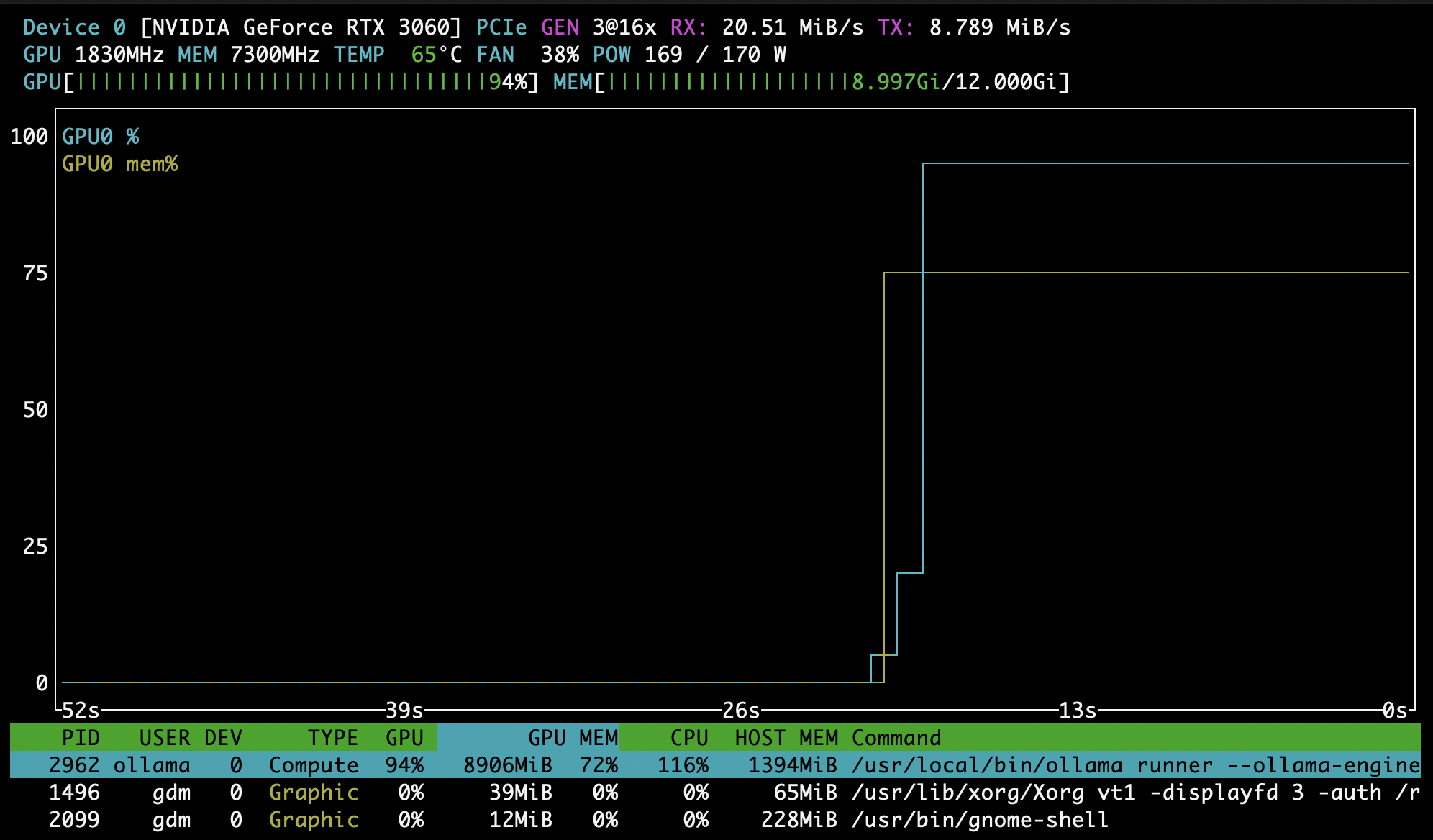
nvidia-smi fails after a reboot. Secure Boot may be blocking the unsigned kernel module; enrol the MOK key when prompted during driver install or disable Secure Boot. Also check for a kernel upgrade without DKMS rebuild.python -c "import tensorflow as tf; print(tf.config.list_physical_devices('GPU'))" and read the log lines above the result: a missing libcudnn or libcudart means LD_LIBRARY_PATH does not include the CUDA and cuDNN library directories in the active shell.tf.config.experimental.set_memory_growth.watch -n1 nvidia-smi or nvtop (pictured above) show utilisation, memory and temperature while training.